
Is My Child Ready to Learn Coding?
A child spends twenty minutes playing a game on a tablet. They know exactly which buttons to press, how to move a character and how to collect points. One day, they ask, “Mumma, how do they make this game?”
It is a small question, but it can open up an interesting conversation.
As parents, we often think about what our children should learn next. Reading, mathematics, sports, music and now coding for kids are all part of the discussion. But when it comes to coding, many parents hesitate.
Is my child old enough? Will coding be too difficult? Does my child need to be good at mathematics? And perhaps the biggest question: Is coding really something every child should learn?
Having an interest in technology is a good starting point, but I would not judge a child’s readiness by how quickly they use a computer or smartphone. I would look at something more important: how they think, explore, ask questions and respond when something does not work.
Let’s look at seven signs that can help you understand whether your child might enjoy learning coding.
7 Signs Your Child Is Ready to Learn CodingHere
1. Your Child Wants to Know How Things Work
Some children are satisfied when something works. Others want to know why it works.
They may ask how a website opens, how an animation moves or how a game knows when a player has won. These questions show an interest in understanding what happens behind the screen.
This curiosity is valuable when learning coding for kids.
For example, instead of simply showing a child a website, ask them to notice its different parts. Where is the heading? Why is there a picture? What happens when they click a link?
Gradually, children begin to understand that websites are not magic. Someone has planned and built them using instructions and code.
What parents can do: Encourage questions. You do not need to explain everything immediately. Sometimes exploring the answer together is the best way to begin.
2. Your Child Loves Puzzles and Solving Problems
Does your child like jigsaw puzzles, mazes, building blocks, chess or simple riddles?
These activities consist of looking at a situation, thinking about what can be done and deciding what to do next.
Coding works in a similar way.
A programmer looks at a problem, breaks it into smaller parts and works through them one step at a time.
Imagine a child trying to guide a character through a maze. The character cannot simply jump to the destination. It needs instructions: move forward, turn left, move again and stop at the right place.
This is an early introduction to logical thinking and problem-solving.
What parents can do: Give children puzzles that allow them to think independently. Resist the temptation to provide the answer too quickly.
3. Your Child Can Understand Steps and Sequences
Before a computer can complete a task, it needs instructions in the correct order.
Think about a simple everyday activity such as making a sandwich. You cannot spread butter before taking the bread out. Each step has a place in the sequence.
Coding works in much the same way.
A set of instructions arranged in the correct order is called an algorithm. Children can understand this idea without writing a single line of code.
Try this at home: Ask your child to explain how to brush their teeth, pack a school bag or make a glass of lemonade. Follow their instructions exactly. If they miss a step, let them discover why the result is different.
It is a simple activity, but it introduces an important foundation of coding: giving clear, ordered instructions.
lamcorper mattis, pulvinar dapibus leo.
4. Your Child Likes Making or Creating Things
Not every child who enjoys drawing, storytelling or building with blocks will immediately enjoy programming. However, these creative interests can provide an interesting starting point.
Coding gives children another way to express their ideas.
A child who enjoys stories might create an interactive story. Someone interested in drawing might enjoy digital design. A child fascinated by games might eventually want to understand how game characters move.
This is where coding for kids becomes more than a technical subject. It becomes a creative tool.
What parents can do: Connect coding activities with something your child already enjoys. Learning becomes more meaningful when children can see their own ideas taking shape.
5. Your Child Is Willing to Try Again When Something Goes Wrong
This is one of the signs I would pay particular attention to.
Imagine your child building something with blocks. It falls down. Do they try a different arrangement? Do they change their approach?
In programming, a small mistake can prevent a project from working. Perhaps a command is missing, an instruction is in the wrong place or a link does not work.
Finding and correcting these mistakes is called debugging.
Children gradually learn that an unsuccessful attempt does not mean they cannot do something. It simply means they need to investigate what happened.
Of course, children develop patience at different rates. They do not need to be naturally patient before starting coding. A supportive learning environment can help them develop this quality.
What parents can do: Appreciate the process, not just the final result. Ask, “What do you think went wrong?” rather than immediately correcting the mistake.
6. Your Child Enjoys Games but Is Also Curious About How They Are Made
Playing games and creating games are two different experiences.
A child who enjoys games may become curious about how characters move, how points are calculated or why something happens when a particular button is pressed.
These questions can lead to basic programming concepts.
For example, a game might contain an instruction such as ‘When the player presses the right arrow, move the character to the right.’
This introduces the relationship between an action and its result.
It is also a good opportunity to help children understand that technology is something they can create with, not just consume.
What parents can do: Talk about the design of a game. Ask your child what they would change or what kind of game they would like to create.
7. Your Child Is Interested in Exploring Something New
A child does not need to be an expert computer user to start learning coding.
In fact, most coding for beginners activities are designed specifically for children who have never programmed before.
What matters is whether the activity matches the child’s current abilities and interests.
Some children may enjoy learning through visual blocks. Others may prefer puzzles, stories or simple projects. There is no need to rush towards programming languages before children understand the basic ideas.
What parents can do: Offer a small, age-appropriate activity and observe how your child responds. Interest often develops through the experience itself.
What Skills Should Children Have Before Learning Coding?
Parents sometimes worry that their child needs strong mathematics or advanced computer knowledge before learning programming. That is not necessary when introducing coding for kids at a beginner level.
A few foundational skills can make the learning process easier:
| Foundational skill | How it connects to coding |
|---|---|
Logical thinking |
Helps children understand instructions and sequences |
Problem-solving |
Helps them break challenges into smaller steps. |
Creativity |
Encourages them to develop original ideas |
Observation |
Helps them notice patterns and mistakes |
Reading comprehension |
Helps them understand written instructions |
Patience |
Helps them experiment and improve their work |
These skills do not need to be fully developed before a child begins. They can also grow through coding activities.
When Should Kids Start Coding?
There is no universal age at which every child should begin coding. A child’s readiness, interests and learning needs matter more than a fixed age.
As a broad starting guide, parents can consider the following:
Ages 4–6: Discover patterns and sequences
At this stage, children can explore unplugged coding games, simple directions, matching activities and patterns. The focus should be on play and exploration rather than formal programming.
Ages 7–9: Explore visual coding
Children who are comfortable with simple instructions can try visual coding activities, where they arrange blocks to make characters move or complete tasks.
Ages 10–12: Begin exploring structured coding concepts
Children may be ready to understand concepts such as HTML, webpage structure and simple programming instructions. Start with small projects and build gradually.
These age ranges are only general guidance. Some children may be ready earlier, while others may need more time. Both are perfectly fine.
How Can You Introduce Coding to Your Child at Home?
You do not need to turn your home into a classroom or schedule long computer lessons. Start with activities that fit naturally into everyday life.
Here are five ideas worth trying.
1. Play a Coding Without Computers Game
Choose a simple destination in the room. Ask your child to guide you there using instructions such as move forward, turn left and stop.
Follow the instructions carefully. If something goes wrong, ask your child to improve the sequence.
Simple unplugged coding activities like this introduce algorithms and sequencing through everyday play without any screen time.
2. Find Patterns in Everyday Objects
Use coloured pencils, toys, beads or household objects to create a sequence.
For example: red, blue, red, blue. Ask your child what comes next and then invite them to create a pattern of their own.
Recognising patterns is a useful foundation for computational thinking.
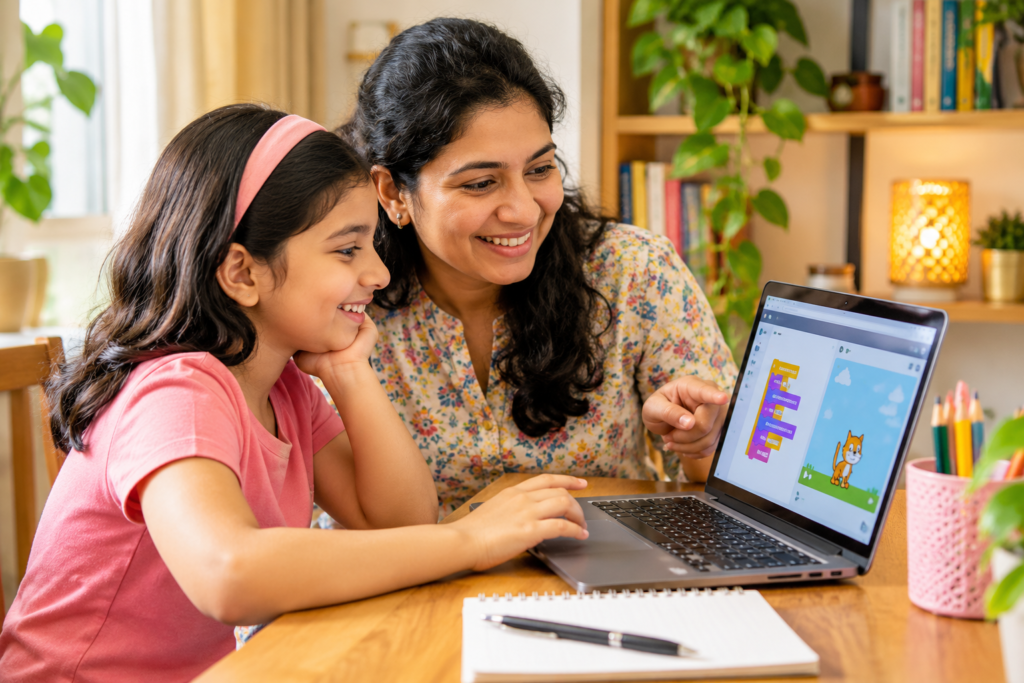
3. Try Beginner-Friendly Visual Coding
Visual coding tools allow children to arrange blocks instead of typing complex commands.
They can use these blocks to move characters, create simple animations and understand how instructions work together.
Choose an activity that matches your child’s age and experience.
4. Explore How a Website Is Built
If your child is curious about websites, start by looking at a simple webpage together.
Point out the heading, paragraphs, images and links. Explain that HTML, or HyperText Markup Language, provides the basic structure of a webpage.
You can begin with a small example rather than introducing many tags at once.
5. Let Your Child Build a Small Project
A simple digital greeting card, a short interactive story or a basic webpage can give children a sense of achievement.
Keep the project small enough to complete without frustration. The aim is to help children experience the satisfaction of turning an idea into something they have created.
Four Common Myths About Coding for Kids
Before introducing coding for kids, it is worth clearing up a few common misunderstandings.
Myth 1: My child must be good at mathematics.
Not for beginner coding. Children can start with patterns, sequences and simple instructions. More advanced mathematical concepts can come later when needed.
Myth 2: Coding is only useful for children who want to become programmers.
It builds strong logical thinking, creativity, and problem-solving skills for kids, which are useful well beyond a future career in technology.
Myth 3: Children need to spend hours in front of a screen.
Not every coding activity requires a computer. Unplugged games and everyday problem-solving activities can introduce important concepts without additional screen time.
Myth 4: Children must learn a programming language first.
Children can begin by understanding instructions, patterns and sequences. Text-based programming languages can be introduced gradually.
How BookishWit Makes Coding More Approachable
When I think about introducing a technical subject to a child, I believe the first experience matters. If the subject feels too complicated, a child may decide that it is not for them before they have had a chance to explore it.
That is why stories and hands-on activities can be useful ways to introduce technology.
At BookishWit, The Little Tag Who Built the Web makes learning HTML for kids approachable through a story-based experience. Instead of beginning with a long list of technical terms, children can first explore webpage structure through a character and a story. The learning journey can continue through the Webville Hub, where children can revisit concepts, explore chapter activities and practise what they have learned.
You can explore the BookishWit learning experience and discover whether this approach is a good fit for your child.
A Final Thought for Parents
If your child is curious about how a game works, enjoys solving puzzles or keeps asking questions about the technology around them, you have a good reason to introduce a simple coding for kids activity.
But there is no need to compare your child with another child or rush them into programming.
I would rather see a child spend fifteen minutes enjoying a small coding challenge than sit through an hour-long lesson without understanding what they are doing.
Start small. Let your child ask questions. Give them room to experiment. And remember that the real benefits of coding for children go far beyond just writing code – it helps them think clearly, create freely, and solve problems with confidence.
Sometimes, one curious question is all it takes to begin.
Pingback: Problem-Solving Activities for Kids: 5 Fun Brain Games to Try